Before you start: decide what "done" looks like
An audiobook isn't one file format — it's a target. Pin yours down before you upload anything:
- MP3 ZIP, ACX-mastered — one MP3 per chapter, RMS and peak normalized to retailer specs. This is what most distributors (Findaway, Kobo, Google Play, Apple Books, Spotify) accept.
- M4B with chapter markers — single-file audiobook with embedded cover art and a clickable chapter list. Best for direct sales, BookFunnel, or your own website.
- Raw WAV — only if a sound engineer is doing post-production for you.
Step 1: Prep your manuscript
Clean your EPUB or DOCX before upload. Five minutes here saves an hour later.
- Strip front matter you don't want narrated (copyright pages, dedications you'd rather skip, ISBN blocks).
- Spell out things the narrator will mangle: "Dr." → "Doctor," "St." → "Saint" or "Street" depending on context, Roman numerals → words.
- Add a short audiobook-only intro line ("This is the audiobook edition of...") if you want one.
- Make sure chapter headings use proper heading styles in DOCX, or
<h1>/<h2>in EPUB. That's how the parser splits chapters.
Step 2: Create the project and upload
Start a new project and drop in your file. EPUB gives the cleanest chapter detection; DOCX works fine if your headings are styled. Plain text paste is the fallback for short pieces.
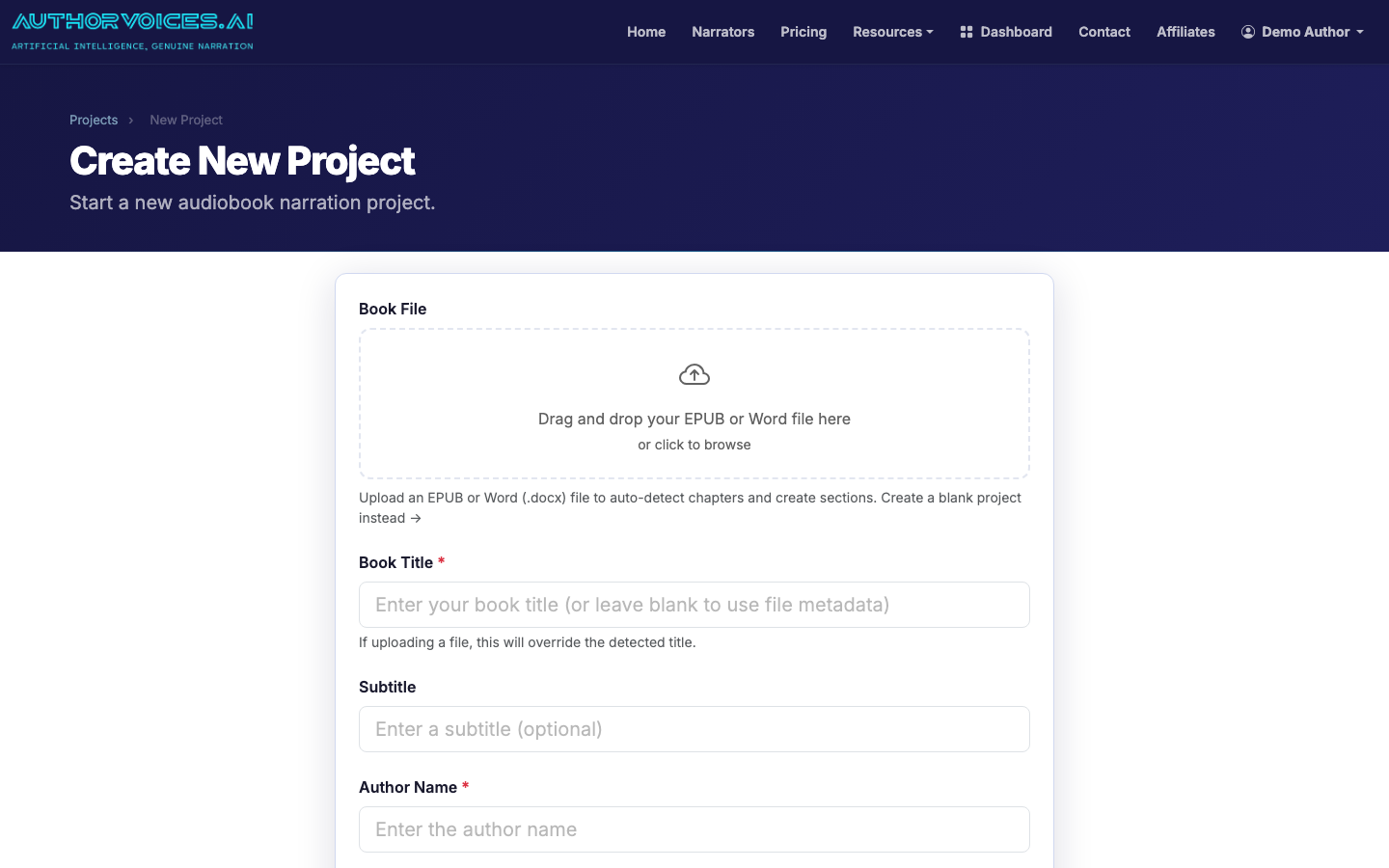
The parser splits your book into chapters and then into sections (paragraph-sized chunks of roughly 200–600 words). Sections are the unit of narration — small enough to regenerate cheaply when one line goes sideways, large enough that you're not clicking forever.
Step 3: Audition narrators
This is the step most first-timers rush. Don't. The wrong voice tanks completion rate more than any other production decision.
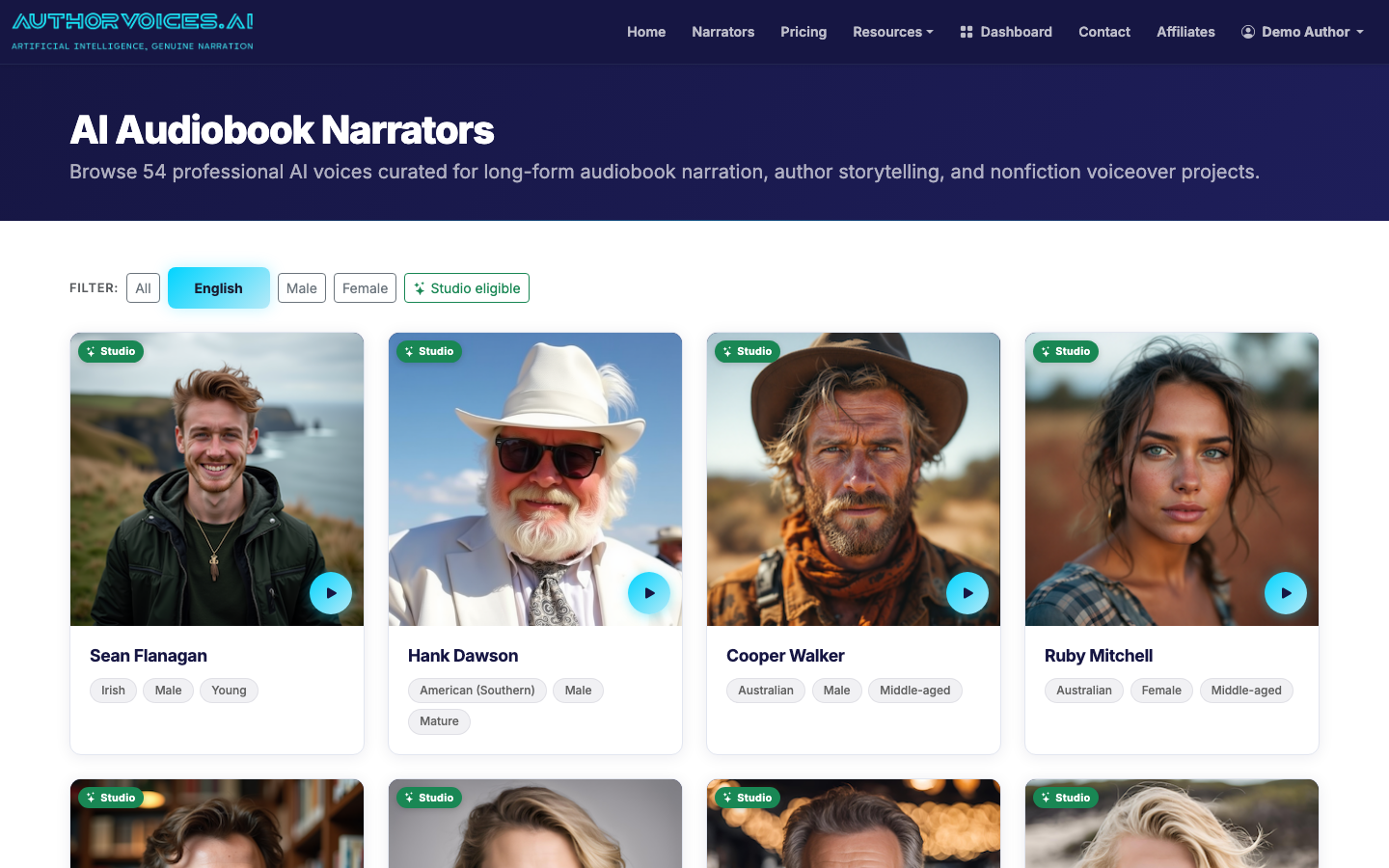
Filter the catalog by gender, language, and accent. Play the previews against a paragraph of your prose, not the demo script. A voice that sounds great reading thriller dialogue can feel wrong on a slow literary scene. Shortlist three, then narrate the same 500-word section with each one and listen back.
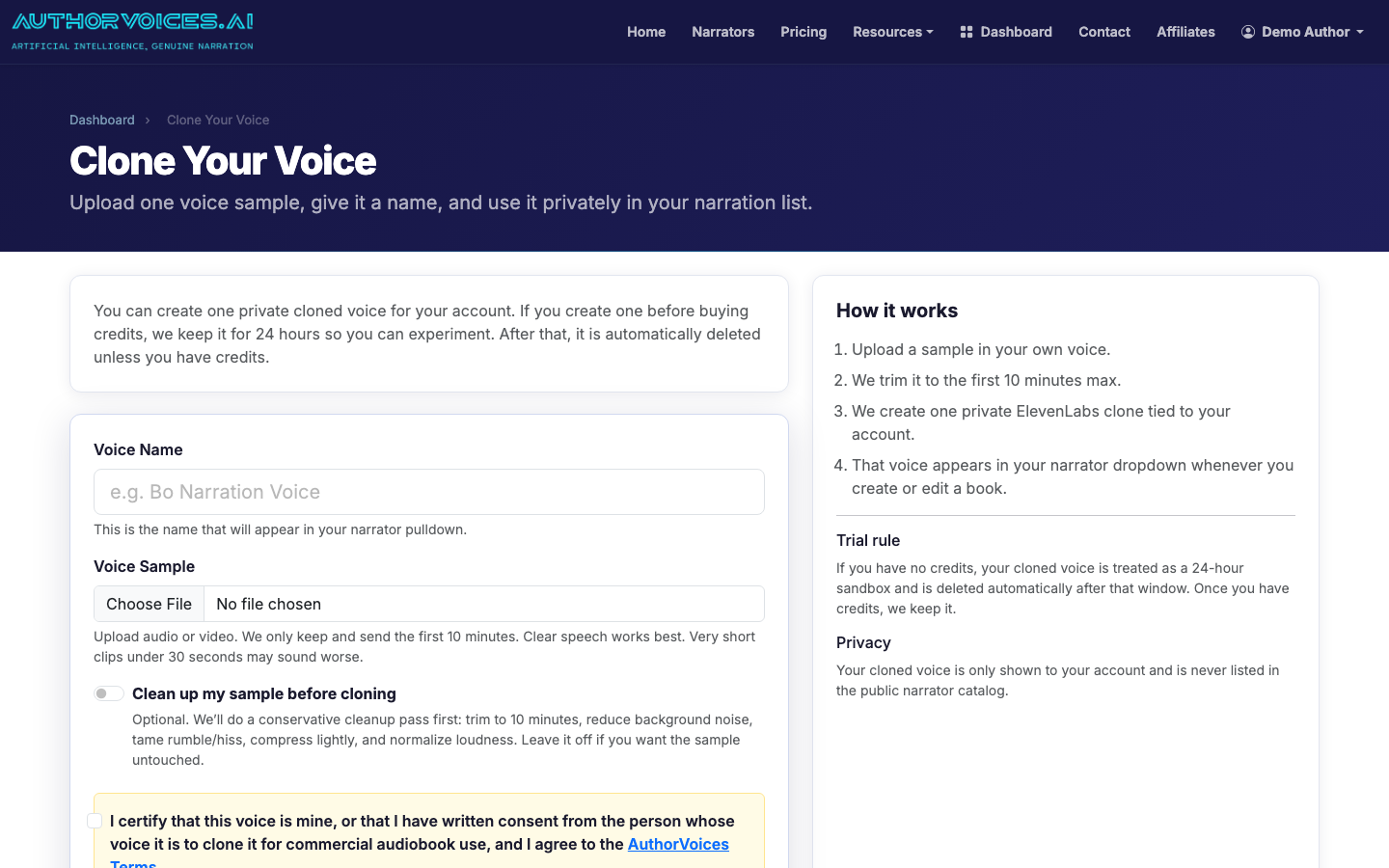
Want something nobody else has? Clone your own voice from a 30-second clean sample. Record in a quiet room, no music, no plosives.
Step 4: Narrate chapter by chapter (or batch the whole book)
You have two paths:
- Section-by-section with Instant Credits. Pay-as-you-go, credits never expire. Best when you're still tuning the voice or writing as you go.
- Whole Book batch queue (Studio subscription). Queue the entire manuscript, walk away, come back to a finished draft. Best once you've locked the narrator and want to move fast.
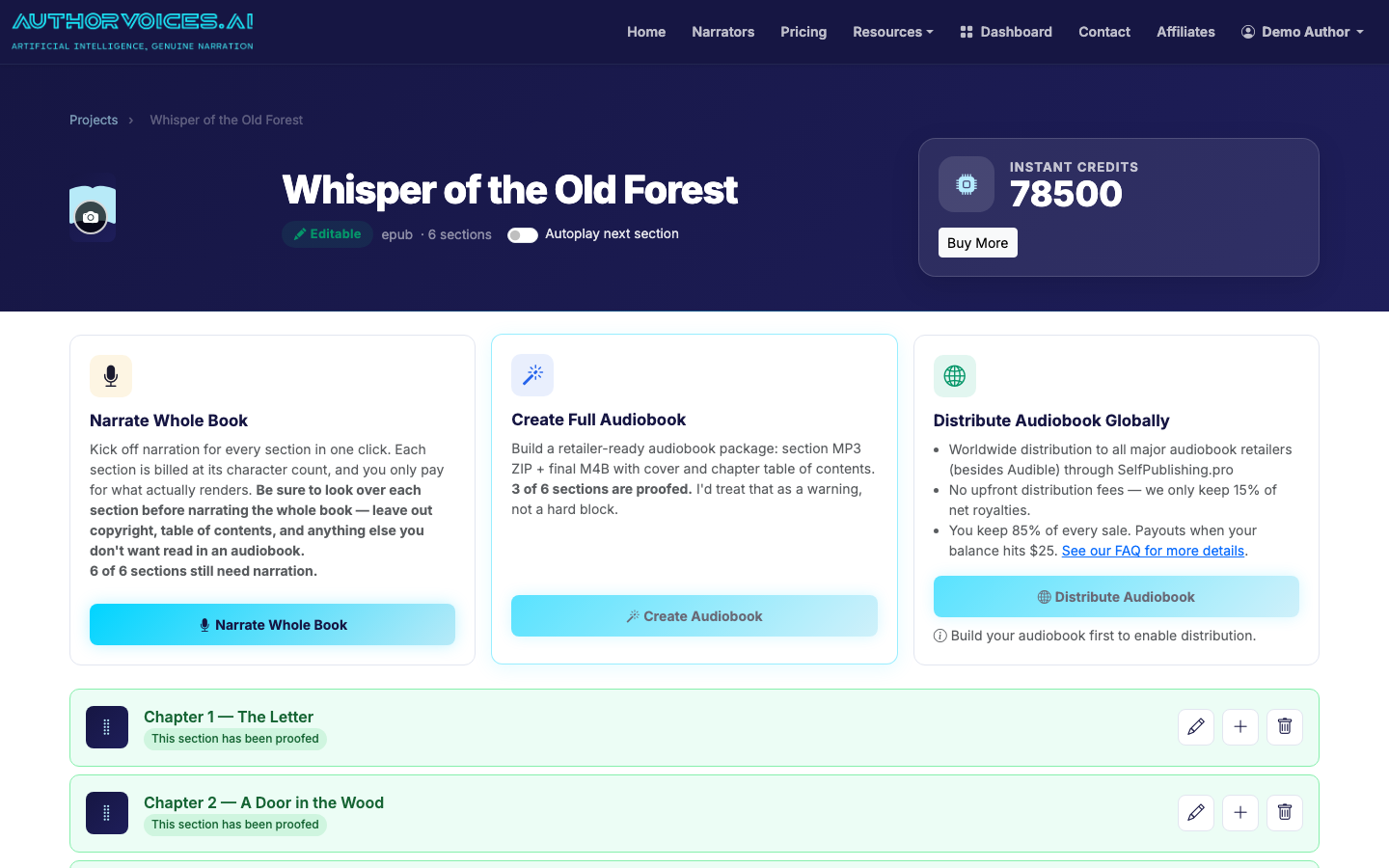
Most authors run a hybrid: narrate chapter 1 section-by-section to confirm the voice is right, then batch the rest of the book overnight.
Step 5: Listen, fix, mark proofed
This is the actual work. Budget roughly 1.5× the runtime of your book for proofing — a 6-hour audiobook takes about 9 hours to listen through with a finger on the edit button.
For each section:
- Listen at 1× speed, headphones on. Mispronunciations and weird emphasis hide at 1.5×.
- When something's wrong, use Quick Fix to select just the broken phrase and regenerate that selection — not the whole section. Cheaper, faster, and the surrounding audio stays identical.
- Mark the section Proofed once it's good. The flag is your save-your-place mechanism for a multi-day proof.
Step 6: Master and export
When every section is proofed, export. You'll get a choice of formats:
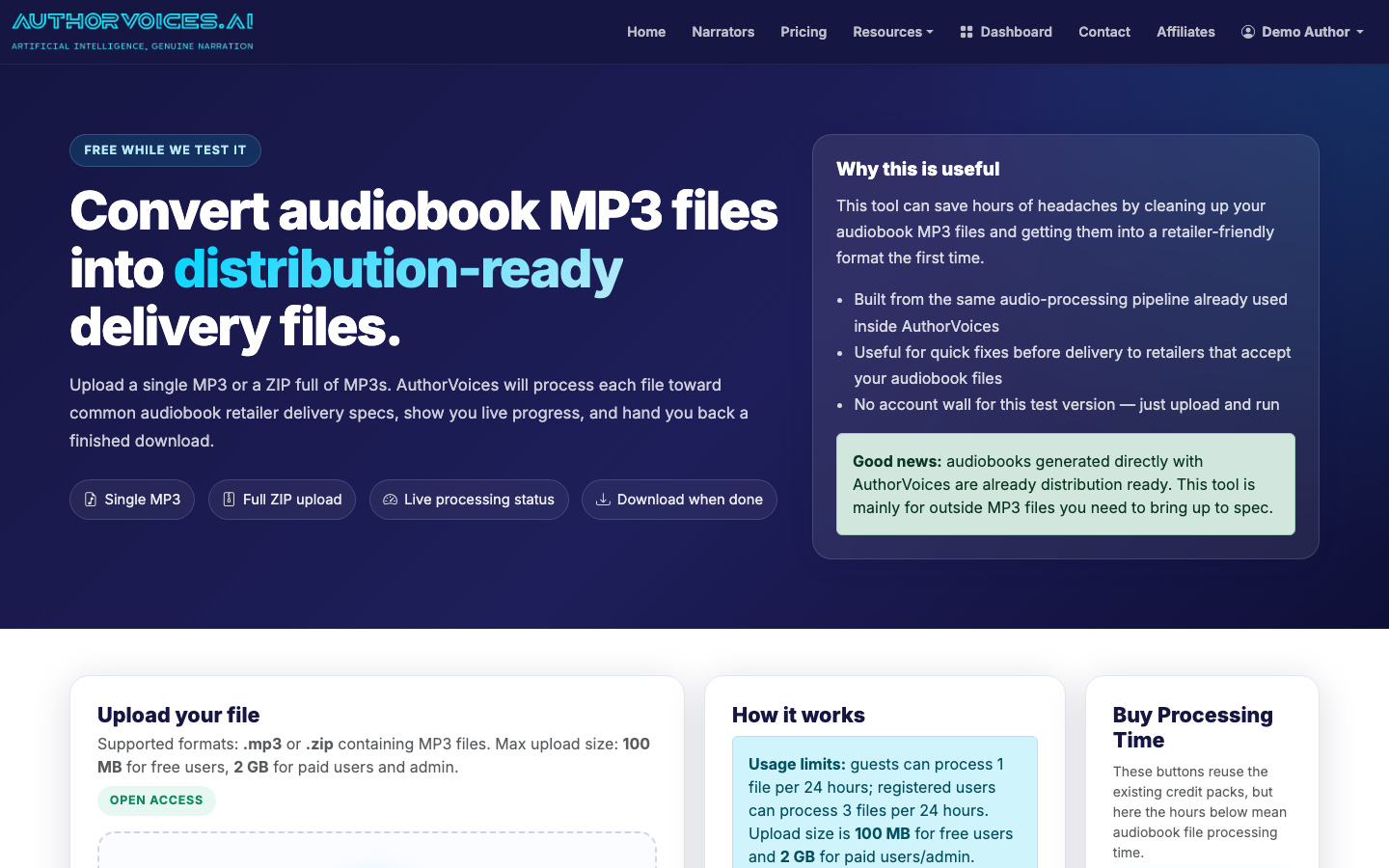
- MP3 ZIP — one file per chapter, ACX-mastered (−23 to −18 dB RMS, −3 dB peak, ≤ −60 dB noise floor). Use this for retailer distribution.
- M4B — single file with embedded chapter markers and your cover art. Use this for direct sales and review copies.
If you only have raw audio from somewhere else and need it mastered to spec, the standalone Distribution Ready tool will do it for you.
Step 7: Distribute
Upload your MP3 ZIP to a distributor that accepts AI narration. AuthorVoices pushes through SelfPublishing.pro to 50+ retailers in a single submission — Findaway Voices' wider network, Kobo, Google Play, Apple Books, Spotify, Storytel, and others. You set the price once; they handle the per-retailer formatting.
For a deeper walkthrough of the upload-to-distribution arc, see How to Turn a Book Into an Audiobook. If you're specifically wondering about Audible, read How to Publish, Distribute, and Format Your Audiobook before you spend any time on it. Coming from an existing ebook? How to Convert an Ebook to an Audiobook covers the EPUB-specific quirks.
What it actually costs
For a 60,000-word novel (roughly 6.5 hours of audio):
- Instant Credits — pay per section narrated, credits never expire. Best for one-off projects or short works.
- Studio subscription — $49/$99/$149 per month with 17% off annual, includes the Whole Book batch queue and the 36 Studio-eligible premium narrators. Pays off above one full-length book per quarter.
Compare against $200–$400 per finished hour for a human narrator (so $1,300–$2,600 for the same book), and the math is hard to argue with — provided the voice you pick actually fits the book.
Once you understand the overall process, how to choose between AI voice over generators for your audiobook walks through picking the right narration tool.
