How to Turn a Book Into an Audiobook (Step-by-Step)
Turning a finished book into an audiobook used to mean a $3,000–$5,000 studio bill or a 50/50 royalty split with a narrator. AI narration has collapsed that math — a 60,000-word novel can now be produced for under $100 and shipped to retailers in a weekend.
This guide walks through the exact workflow inside AuthorVoices.ai, from EPUB upload to ACX-mastered export. The same general flow applies to any AI narration tool, but the specifics below — credits, Quick Fix, Studio batch — are ours.
1
Before you start: what you'll need
A clean EPUB or DOCX of your finished book (no track changes, no comments)
A cover image (1:1 square, 2400×2400 px is safe) if you want to ship an M4B
A budget — roughly $0.0015–$0.002 per word with Instant Credits, or a flat Studio subscription if you're producing more than ~50k words a month
2
Step 1: Prep your manuscript
The single biggest predictor of clean narration is a clean source file. Open your EPUB or DOCX and:
Make sure each chapter starts with a real Heading 1 (not just bold text). Our parser uses headings to split sections.
Strip front-matter you don't want narrated — copyright pages, dedications, full TOCs.
Spell out anything that should be read aloud literally: "Dr." → "Doctor" if you want "Doctor," Roman numerals → "Chapter Three" instead of "Chapter III."
If your formatting is messy, run it through a tool like Vellum or Atticus first. Five minutes of cleanup beats two hours of Quick Fix edits later.
3
Step 2: Create a new project and upload
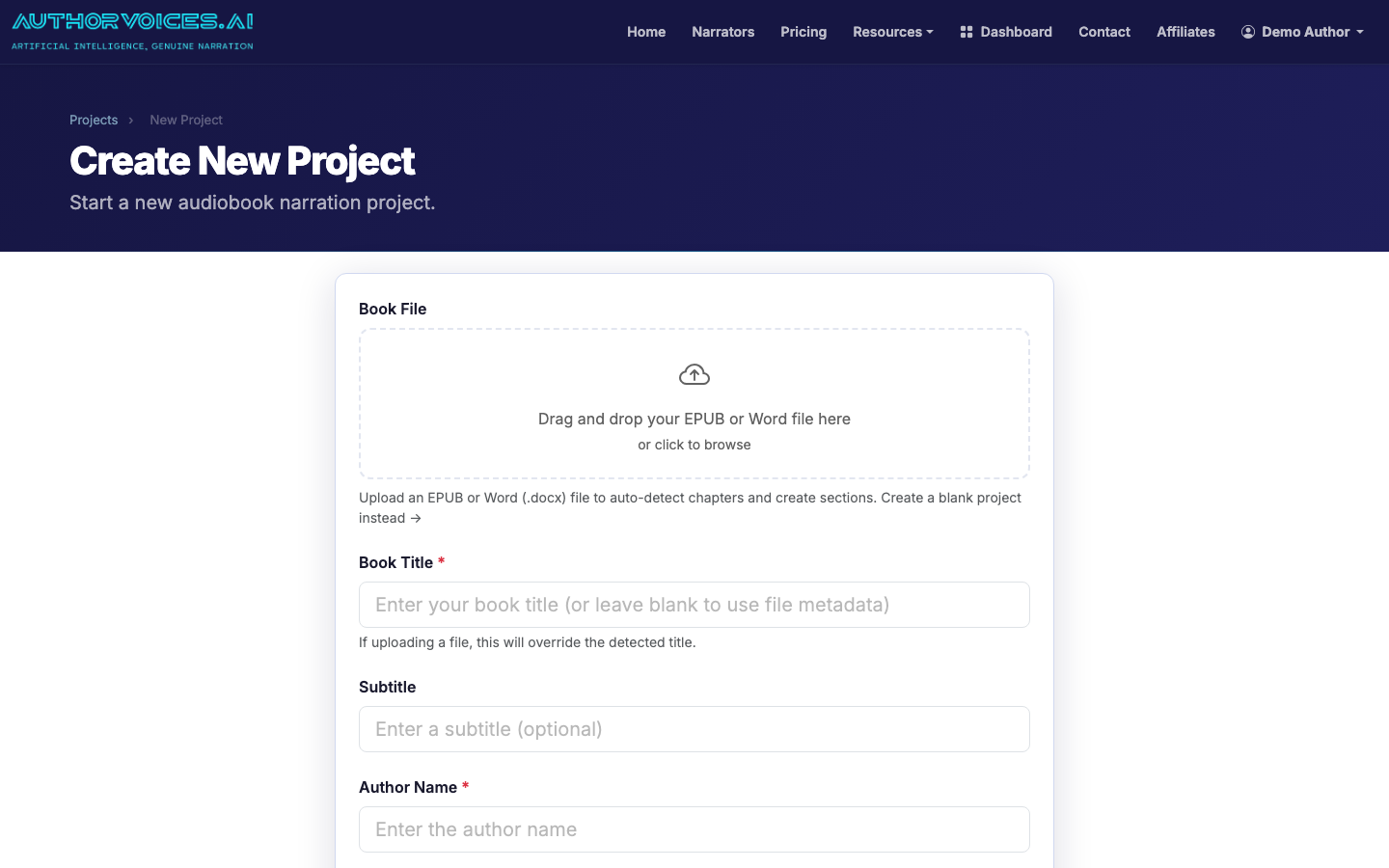
From your dashboard, click New Project and drop in the EPUB or DOCX. We auto-detect chapters and create a section per heading, so a typical novel becomes 20–40 narratable units.
Drop an EPUB or DOCX into the New Project page to auto-parse chapters.
If the chapter split looks wrong, you can re-upload after fixing the source — it's faster than editing inside the app.
4
Step 3: Pick a narrator (or clone your voice)
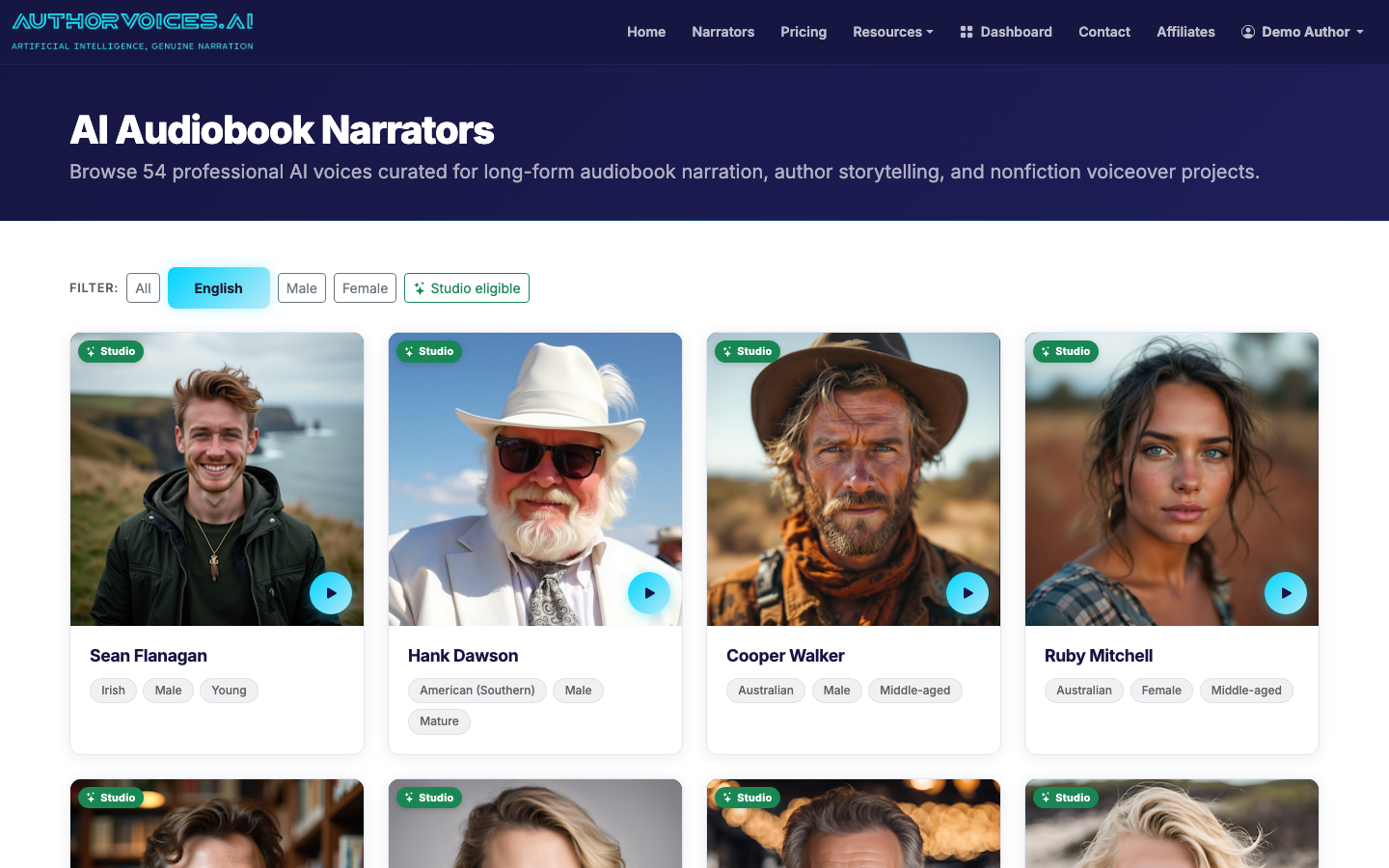
Browse the 54 curated voices and filter by gender, accent, and Studio-eligibility. Always preview a voice on a paragraph from your own book, not on the demo line — narrators that sound great reading marketing copy can fall apart on dialogue or first-person interiority.
Filter the 54 curated narrators by language, gender, and Studio eligibility.
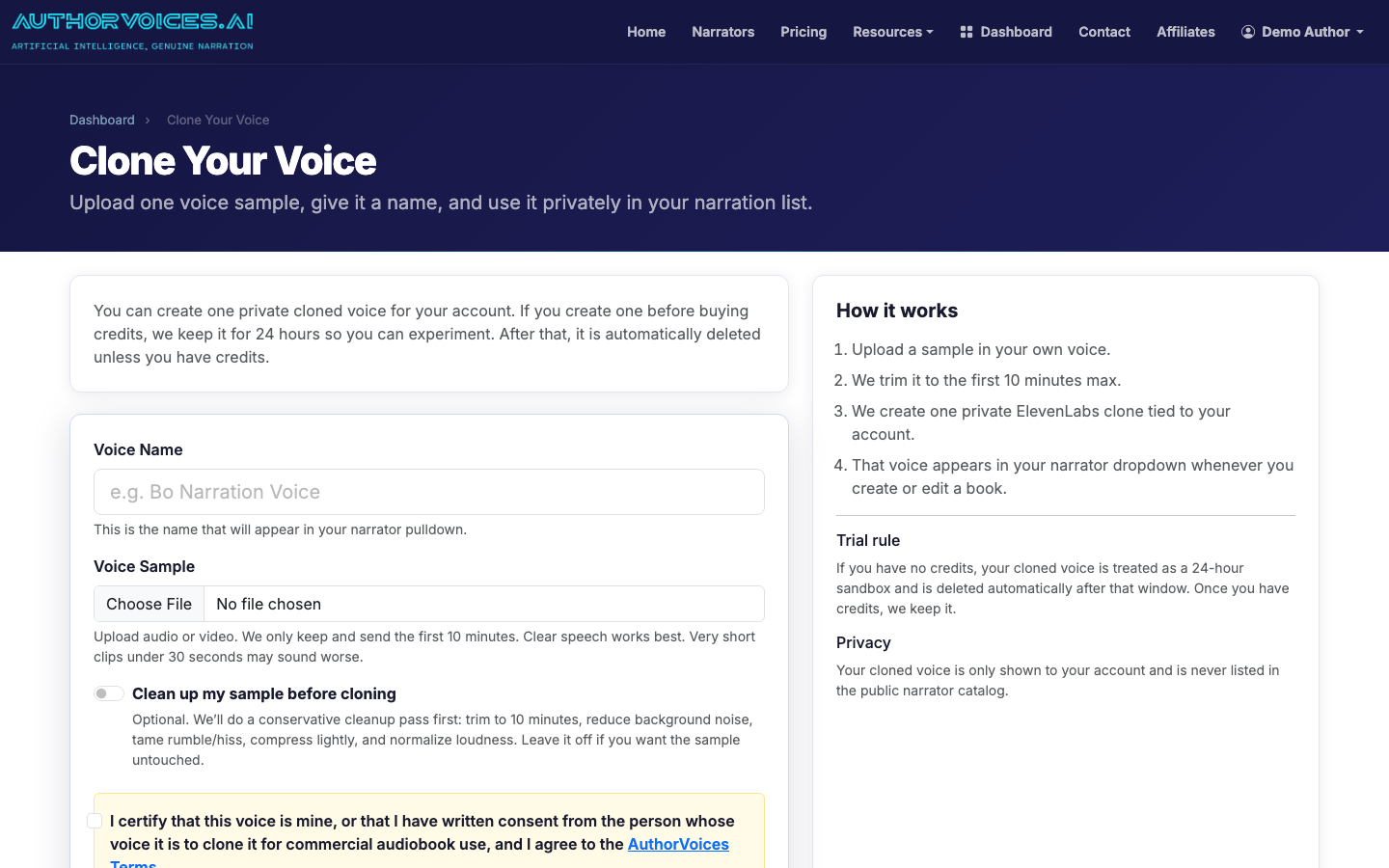
Non-fiction and memoir often benefit from cloning your own voice. Upload a 30-second clean sample (no music, no reverb) and you'll have a private narrator that sounds like you within minutes.
Clone your own narrator from a 30-second clean voice sample.
5
Step 4: Narrate a test chapter first
Do not batch the whole book before you've heard a full chapter in your chosen voice. Pick chapter 2 or 3 (skip the prologue — they're usually atypical) and narrate it section by section using Instant Credits.
Listen end-to-end with headphones. You're checking for:
Mispronounced names or invented words
Pacing on dialogue tags
Whether the voice carries emotion in your specific prose
If it doesn't work, switch narrators now. Re-narrating one chapter costs a few dollars; re-narrating a whole book costs real money.
6
Step 5: Batch the rest of the book
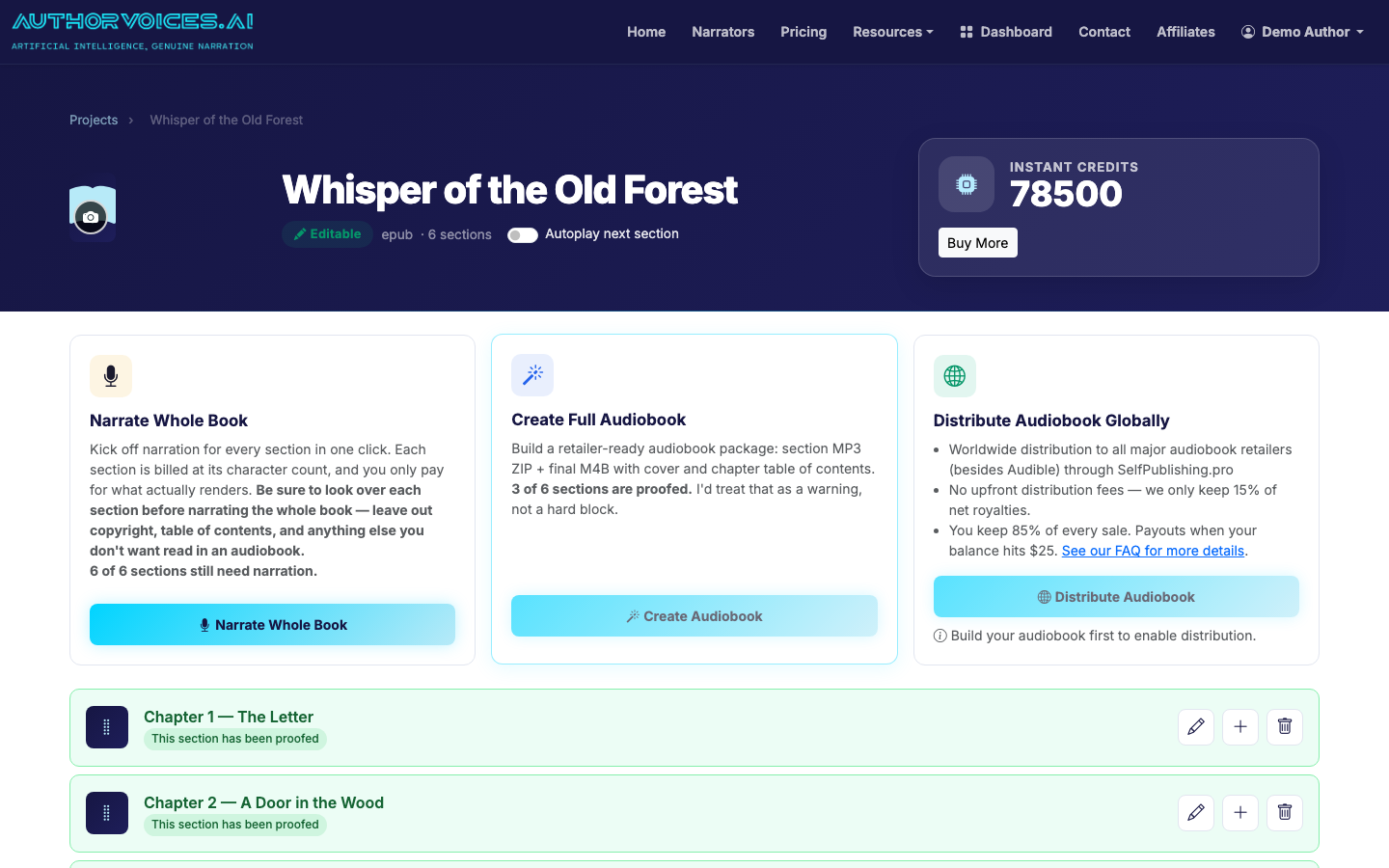
Once you're happy with the test chapter, queue Whole Book from the project page (Studio plans only) or keep narrating section by section if you're on Instant Credits. A 60k-word novel typically finishes batching in 30–90 minutes.
Narrate section-by-section or queue Whole Book from the project page.
7
Step 6: Edit with Quick Fix
Play through each chapter and flag the lines that need attention. Quick Fix lets you re-narrate a specific selection — a single sentence, a paragraph, even three words — without regenerating the whole section. Common fixes:
Proper nouns the model guessed wrong
Dialogue that landed flat
A misread homograph ("lead" the metal vs. "lead" the verb)
Mark each chapter as Proofed when you've reviewed it. The flag is just for your tracking, but it makes the difference between "I think I'm done" and "I know I'm done."
8
Step 7: Export ACX-mastered files
From the project page, export either:
MP3 ZIP — one file per chapter, mastered to ACX loudness specs (-18 to -23 LUFS, peak ≤ -3 dB, room tone ≤ -60 dB). Use this for retailers that want individual chapter files.
M4B — a single file with chapter markers and embedded cover art. Best for direct-to-listener sales and most aggregators.
9
Step 8: Distribute
The MP3 ZIP plugs straight into SelfPublishing.pro, which fans out to 50+ global retailers including Apple Books, Spotify, Kobo, Google Play, Chirp, and Storytel.
Master to retailer specs before shipping through SelfPublishing.pro.
Payouts vary by retailer, but expect 25–45% net royalty on a typical $14.99 audiobook. For more on the broader production decisions — narrator choice, length pricing, retail strategy — see our complete guide to making an audiobook, or if you're starting from an existing ebook file, the ebook-to-audiobook walkthrough.
How long does it take to turn a book into an audiobook with AI?
For a 60,000-word novel, expect about 4–8 hours of total work spread over a weekend: 30 minutes of file prep, 30–90 minutes of unattended batch narration, and 3–6 hours of listening and Quick Fix edits. The narration itself runs in the background. Editing time scales with how picky you are — light proofing might take 2 hours per 10 hours of audio, while heavy editing for a literary novel can take 5–6. Cloning your own voice or producing in a second language doesn't change the timeline meaningfully.
How do I convert a book to an audiobook without paying a narrator?
Use AI narration software. You upload your EPUB or DOCX, pick from a catalog of curated voices (or clone your own from a 30-second sample), narrate chapter by chapter, edit any rough passages, and export retail-ready files. Costs run roughly $0.0015–$0.002 per word — a 60k-word book lands around $90–$120 versus $3,000–$5,000 for a hired narrator. The tradeoff: AI narration is excellent for non-fiction and most genre fiction, but literary fiction with heavy emotional range still benefits from a human read.
Can I turn any book into an audiobook, or are there restrictions?
You can convert any book you own the rights to. That means books you've written yourself, books you've licensed audio rights for, or public-domain works. You cannot convert a book you simply purchased a copy of — buying an ebook doesn't grant audio production rights. If you're a traditionally published author, check your contract: some publishers retain audio rights even when print and ebook revert to the author. For your own indie-published work, you're free to produce and distribute audio whenever you want.
How do I convert a book into an audiobook file format retailers accept?
Most retailers want either individual chapter MP3s mastered to ACX specs (-18 to -23 LUFS, -3 dB peak, room tone under -60 dB) or a single M4B file with chapter markers and embedded cover art. AuthorVoices.ai exports both formats automatically — the MP3 ZIP for aggregators like SelfPublishing.pro and the M4B for direct sales or platforms like Apple Books. Audible/ACX is the exception: they require their own production tools and prohibit AI narration submitted from third-party software.
How to turn a book into an audiobook in a different language?
Pick a narrator whose native language matches your book — our catalog includes voices in English, Spanish, French, German, Italian, Portuguese, Japanese, and more. Filter the narrator catalog by language before previewing. The source manuscript should already be in the target language; AI narration tools narrate, they don't translate. If you need translation first, run the manuscript through a service like DeepL plus a human editor, then upload the translated EPUB. Distribution through SelfPublishing.pro reaches retailers in the matching territories automatically.
How to convert books to audiobooks at scale if I have a backlist?
Move from Instant Credits to a Studio subscription ($49–$149/month). Studio unlocks the Whole Book batch queue, so you can queue an entire novel and walk away instead of clicking section by section. A productive weekend on the $99 tier can yield two finished audiobooks. For a 10-book backlist, plan on roughly 8–12 weekends of work depending on book length and how heavily you edit. Reuse the same anchor narrator across a series to keep listener continuity — switching mid-series tends to spike refund requests.
How to make an audiobook from your manuscript — upload, narrate, edit, master, and distribute. A practical workflow for indie authors. Start your first chapter today.
How to turn a Kindle book into an audiobook using your KDP source files, AI narration, and one-click distribution to 50+ retailers. Start in under 10 minutes.
How to record an audiobook at home: the real gear list, hours per finished hour, and when AI narration is the smarter call. Decide before you buy a mic.