Getting Started

How to Turn a Kindle Book Into an Audiobook

If you published a book on Kindle, an audiobook edition is the single biggest catalog expansion you can make — audiobook listeners are a different audience, and most of them will never find your title until it shows up in their app of choice.

This guide walks through the practical path: take the manuscript you already uploaded to KDP, run it through AI narration, and export retailer-ready files. We'll do it in AuthorVoices.ai, but the workflow is the same anywhere — the only thing that changes is which buttons you click.

1

Before you start: you need your source file, not the Kindle download

You cannot legally convert a .azw3 or .kfx file you bought (or even one you published) back into an audiobook source. Those files are DRM-wrapped and formatted for the Kindle reader, not for narration.

What you actually need is the manuscript you uploaded to KDP — the EPUB or DOCX. If you've lost it, KDP keeps the file you submitted: log in, open the title, and download the original from the Content tab.

2

Why not just put it on Audible?

Quick detour, because every author asks. Audible/ACX prohibits AI-narrated audiobooks unless they're produced through ACX's own internal tools. Submitting an AI-narrated file violates their terms and risks a takedown. We dig into the full picture in How to Make an Audible Book (and Why You Probably Shouldn't), but the short version: you can reach 50+ other retailers — Apple Books, Spotify, Kobo, Google Play, Storytel, Nextory, library systems — without that restriction, and that's where most non-Audible audiobook listening actually happens.

3

Step 1: Create a new project from your KDP manuscript

From the dashboard, open Projects → New. Drag in your EPUB or DOCX. Auto-chapter parsing will read your heading structure and split the book into sections you can narrate independently.
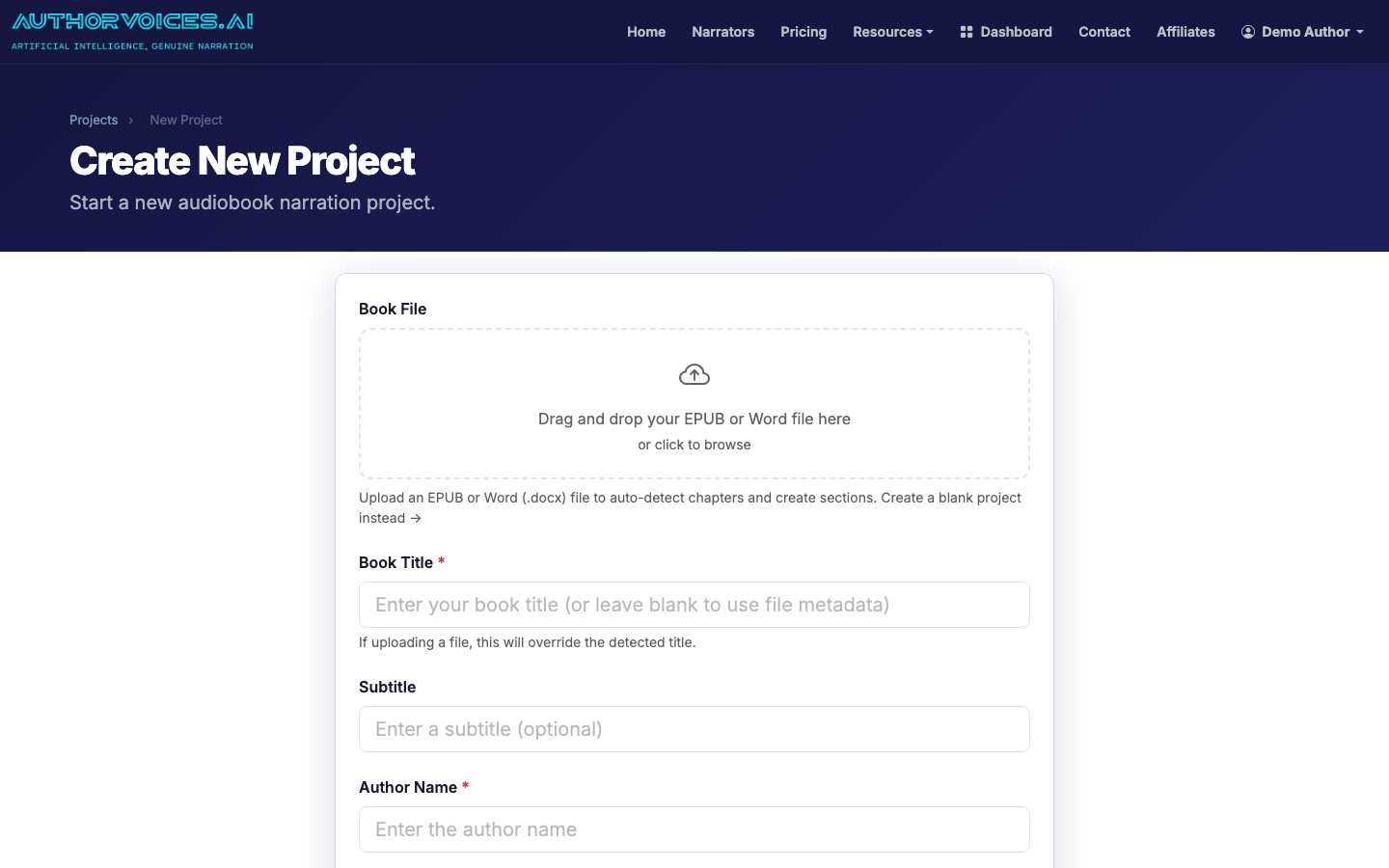
Drop your KDP-source EPUB or DOCX into the new project page

If chapters come in wrong (common with DOCX files that use bold text instead of real Heading 1 styles), you can merge or split sections after import. EPUB files almost always parse cleanly because the chapter breaks are encoded in the spine.

4

Step 2: Pick a narrator (or clone your own voice)

Browse the catalog of 54 curated voices. Filter by gender, accent, and Studio-eligibility, then click any voice to hear a 20-second sample reading from your actual book — not a generic demo. This matters: a voice that sounds great on a thriller can feel wrong on a cozy romance.
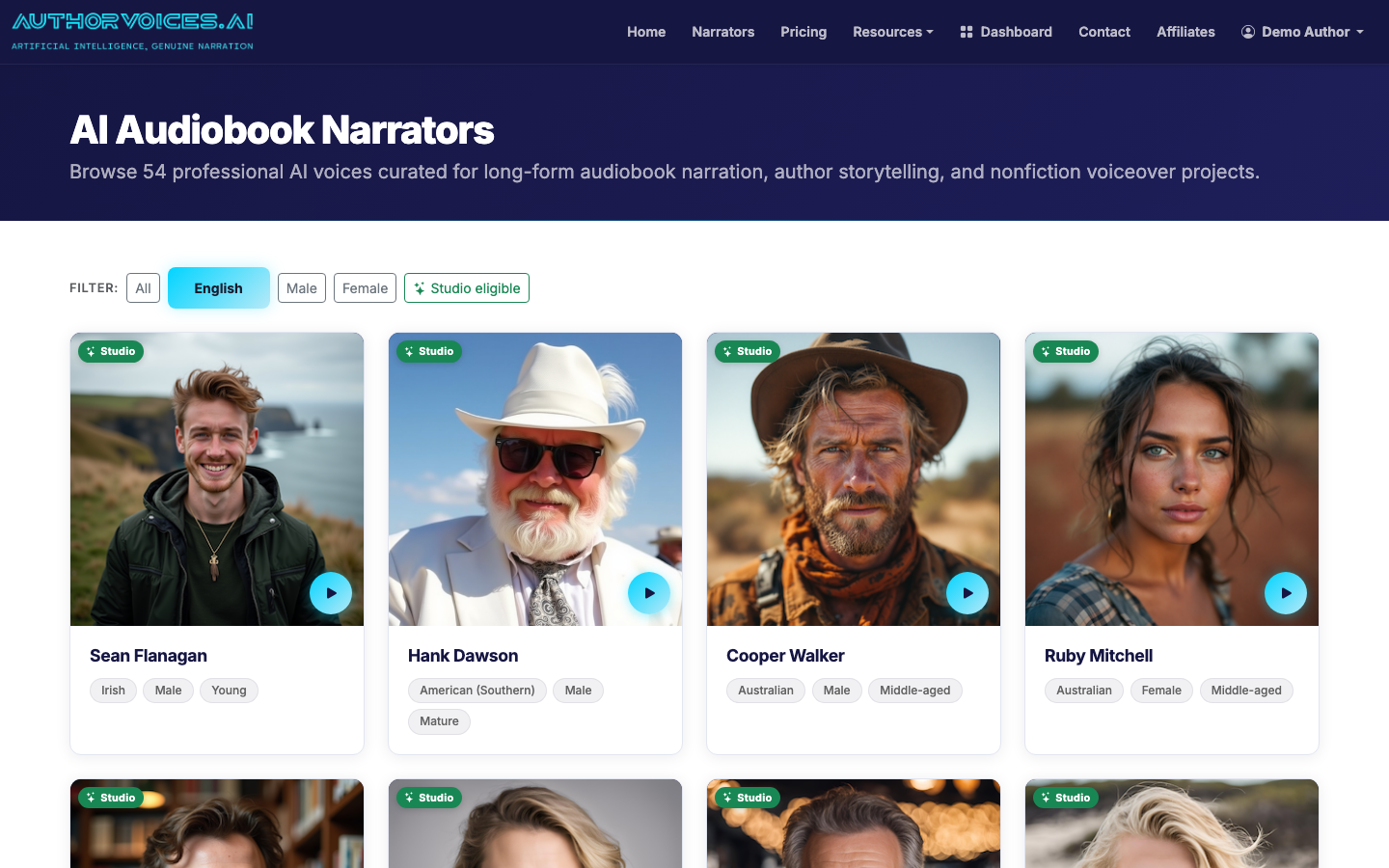
Filter 54 curated voices by gender, accent, and Studio-eligibility

If you'd rather narrate it yourself without sitting in a booth for 40 hours, upload a 30-second clean recording of your own voice on the Voice Clone page. The clone becomes a private narrator only you can use.
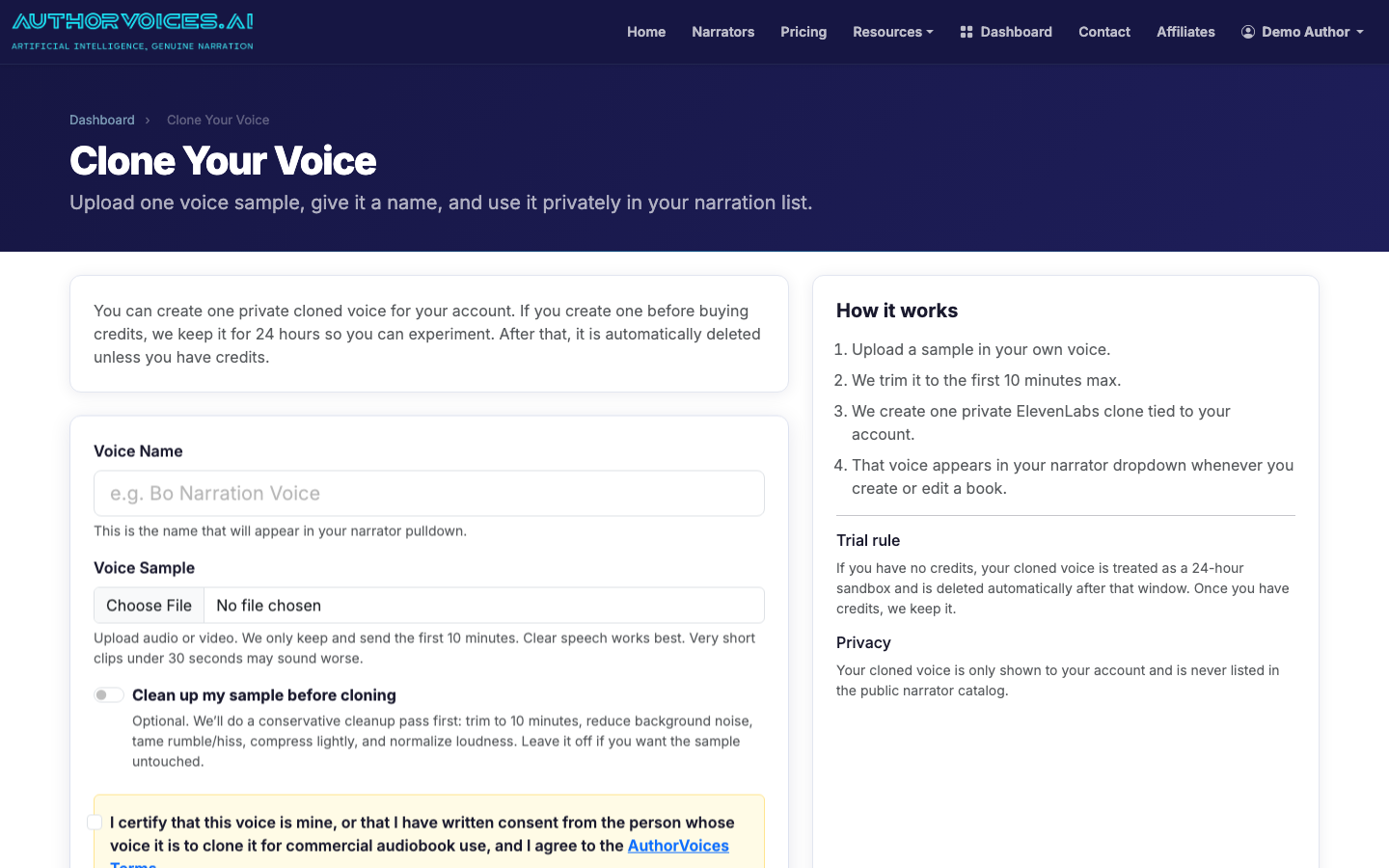
Clone your own narrator from a 30-second voice sample
5

Step 3: Narrate chapter-by-chapter or batch the whole book

Inside the project, you have two modes:

  • Section-by-section — burn Instant Credits one chapter at a time. Best for your first project, because you can hear how the voice handles your style before committing to the whole manuscript.
  • Whole Book batch (Studio plans) — queue every unnarrated section in one click. A typical 80,000-word novel finishes in 30–90 minutes depending on queue load.
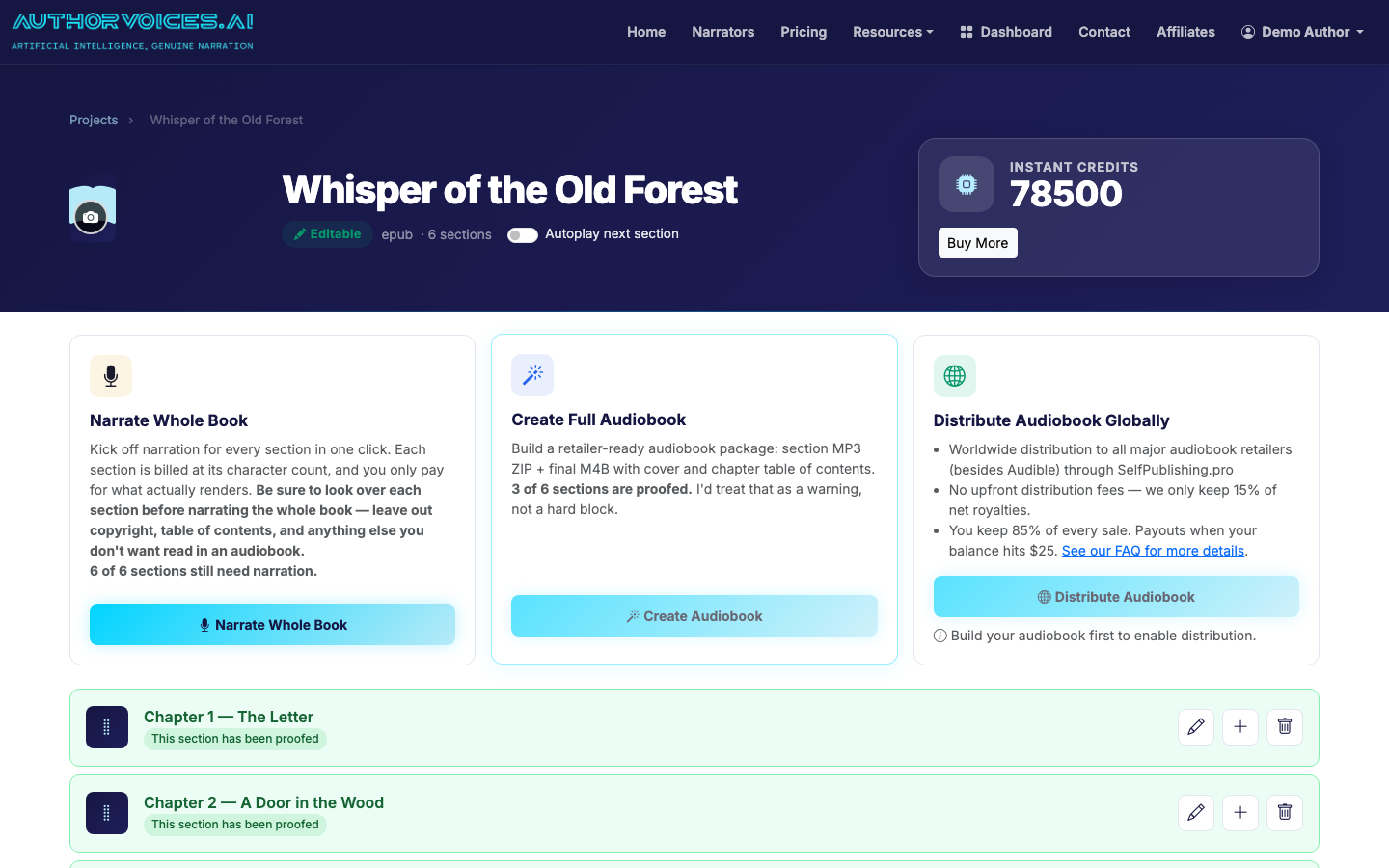
Narrate section-by-section or batch the whole book from the project page

Mark sections as Proofed as you listen back. The flag is just a tracking tool, but it keeps you honest on a long book — you'll forget what you've QA'd by chapter 22.

6

Step 4: Fix the rough spots with Quick Fix

AI narration nails 95%+ of a typical novel on the first pass. The other 5% is usually the same handful of issues: an unusual proper noun pronounced wrong, a sentence read too fast, an emotional beat that needs more weight.

Highlight the problem passage, click Quick Fix, and either re-roll the take or rewrite the source text (sometimes adding a comma is faster than re-narrating). You only spend credits on the regenerated audio, not the whole chapter.

7

Step 5: Export ACX-mastered MP3s or a single M4B

When the book is proofed end-to-end, export from the project page. Two options:

  • MP3 ZIP — one file per chapter, mastered to ACX loudness specs (-18 to -23 LUFS, peaks under -3 dB). This is what every non-Audible retailer wants.
  • M4B — single file with chapter markers and your cover art embedded. Best for direct sales, library uploads, and listeners who side-load.

Most authors export both. Storage is free; re-exporting later isn't.

8

Step 6: Distribute to retailers

To go wide, push the MP3 ZIP through SelfPublishing.pro from inside your project. They handle ingestion to Apple, Spotify, Kobo, Google Play, library aggregators, and 45+ other stores. You keep the rights and set your own price; royalties pay out monthly.

For a deeper walkthrough of the production side — pacing, voice selection, QA discipline — see How to Make an Audiobook: Complete Guide for Authors and the more general How to Turn a Book Into an Audiobook (Step-by-Step).

9

What it actually costs

A 60,000-word novel runs roughly 6–7 finished hours of audio. At Studio pricing ($49–$149/mo depending on tier), one full novel fits comfortably inside a single month's allotment. With one-time Instant Credit packs, you're typically in the $40–$120 range per book. Either way, that's an order of magnitude cheaper than hiring a human narrator (industry rate: $200–$400 per finished hour) — and you keep 100% of royalties instead of splitting.

Frequently asked

How do I convert a Kindle book to audio if I only have the .azw3 file?
You can't — and you shouldn't try. Kindle files are DRM-protected and formatted for reading apps, not narration. Stripping DRM violates Amazon's terms. What you need is your original manuscript: the EPUB or DOCX you uploaded to KDP. Log into KDP, open the title's Content tab, and download the source file you submitted. If you've genuinely lost it and only have a print copy, retype or OCR the text into a fresh DOCX. Once you have a clean source, upload it to AuthorVoices.ai and the auto-chapter parser handles the rest.
How to turn my ebook into an audiobook without hiring a narrator?
Upload your EPUB or DOCX, pick from 54 curated AI voices (or clone your own from a 30-second sample), narrate chapter-by-chapter or batch the whole book, fix any rough passages with Quick Fix, then export ACX-mastered MP3s or a single M4B. A 60,000-word novel takes 30–90 minutes of compute time and usually costs $40–$120 in credits, versus $1,500–$3,000 to hire a human narrator. The tradeoff is you'll spend a few hours on QA — listening through and flagging anything that needs a re-roll.
How to convert Kindle books to audiobooks for sale on Audible?
You can't, at least not with third-party AI narration. Audible/ACX explicitly prohibits AI-narrated audiobooks unless they're produced through ACX's own internal tools. Submitting an AI-narrated file risks an immediate takedown. The good news: there are 50+ other audiobook retailers — Apple Books, Spotify, Kobo, Google Play, Storytel, Nextory, plus library systems like OverDrive — that do accept AI narration, and combined they reach the majority of non-Audible listeners worldwide. Distribute through SelfPublishing.pro to hit them all from one upload.
How do I convert Kindle books to audio that sounds professional?
Three things move the needle. First, start with a clean source file — an EPUB with proper chapter breaks beats a messy DOCX every time. Second, audition voices on your actual text, not a stock demo; the catalog lets you preview any narrator reading a passage from your book. Third, do a real QA pass. Listen at 1x speed with headphones, mark each section as Proofed only after you've heard it, and use Quick Fix on the 5% of passages that need a second take. That last step is what separates amateur from professional output.
How long does it take to convert a Kindle book to audio?
For a typical 60,000–80,000 word novel: under 10 minutes to upload and configure, 30–90 minutes of generation time on a Whole Book batch, then 3–6 hours of QA listening across however many days you spread it over. Total elapsed time for most authors is 2–4 days from upload to distribution-ready export. Compare that to traditional human narration, which runs 4–8 weeks from booking to delivery. The QA hours are the constraint — you want to actually listen to your own book before sending it to retailers.
How to convert a Kindle book to audio in multiple languages?
Translate the manuscript first, then run each language through narration as a separate project. The narrator catalog includes voices native to several languages — filter the catalog by language to see what's available. Don't try to use an English-trained voice on Spanish or German text; the pronunciation will be uneven and the cadence will sound wrong. If your translated edition is already on Kindle in that language, use that DOCX or EPUB as your source, the same way you would for English.