What "narrating your own audiobook" means in 2026
Three options, in order of effort:
- Record yourself the traditional way. Best fidelity, worst time cost. Plan on 6–8 finished hours per 1 hour of audio for a first-timer.
- Hire a narrator. $200–$400 per finished hour through ACX or Findaway. Great results, but you're not the voice on the file.
- Clone your voice and narrate via AI. A 30-second sample, then your book is read in your voice in an afternoon. Quality is now good enough for paid distribution outside Audible.
Before you start: record a clean 30-second sample
The clone is only as good as the sample. Spend ten minutes getting this right and you save hours later.
- Length: 30–60 seconds of continuous speech. More isn't better past about 90 seconds.
- Content: Read a paragraph from your own book. Use your natural narrator voice, not your podcast voice.
- Environment: A closet stuffed with clothes beats most home offices. Aim for zero echo, no HVAC hum, no laptop fan.
- Mic: A USB condenser ($80–$150) is plenty. Phone voice memos work if you're 6 inches from the mic in a quiet room.
- Format: WAV or high-bitrate MP3. Trim silence at the start and end.
Step-by-step: narrate your book in your own voice
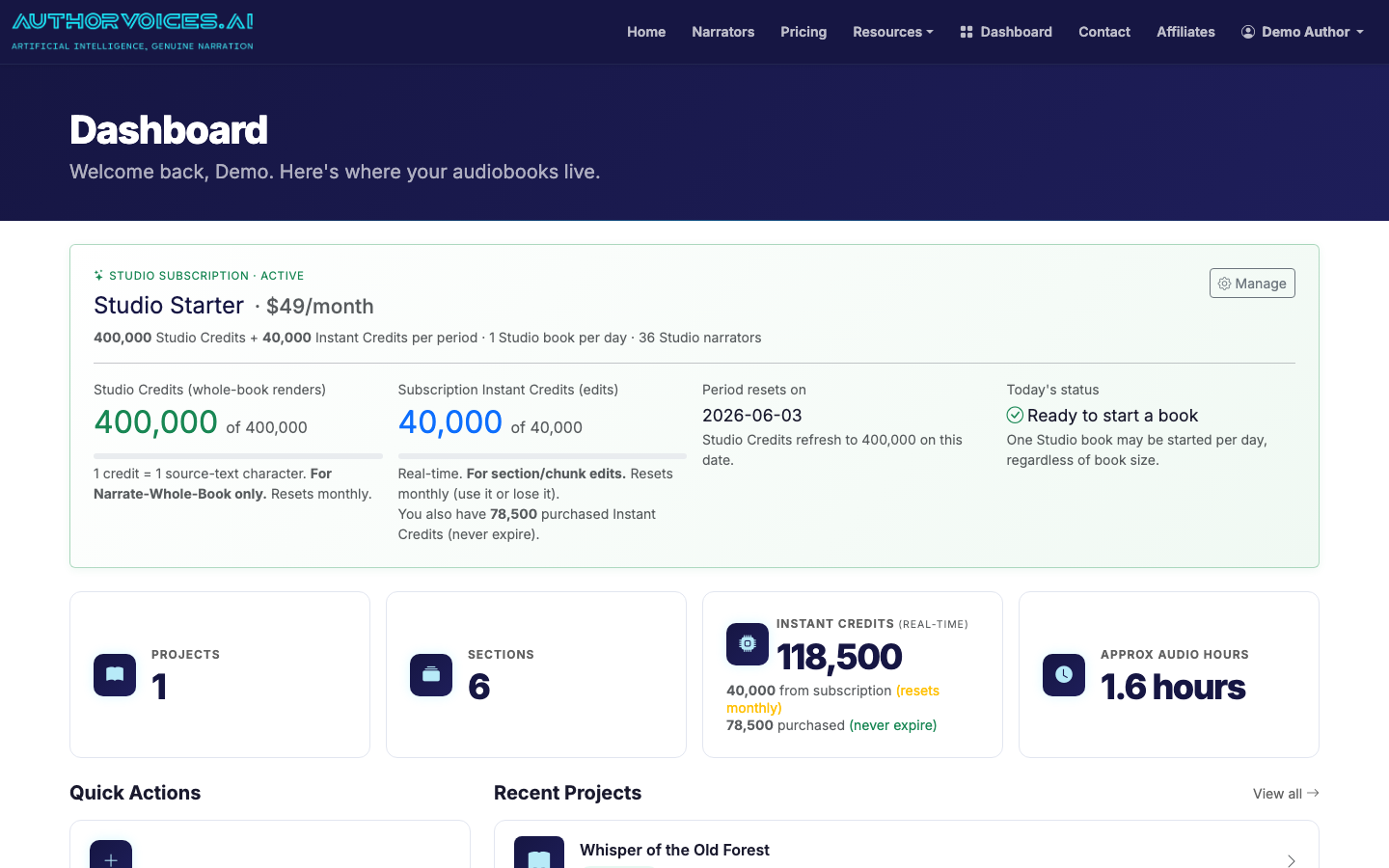
1. Create your AuthorVoices.ai account and check credits
Sign up, then open the dashboard. Voice cloning itself is free; narration consumes Instant Credits or runs under a Studio subscription. A 70,000-word novel typically lands around 8 hours of audio — budget accordingly on the pricing page.
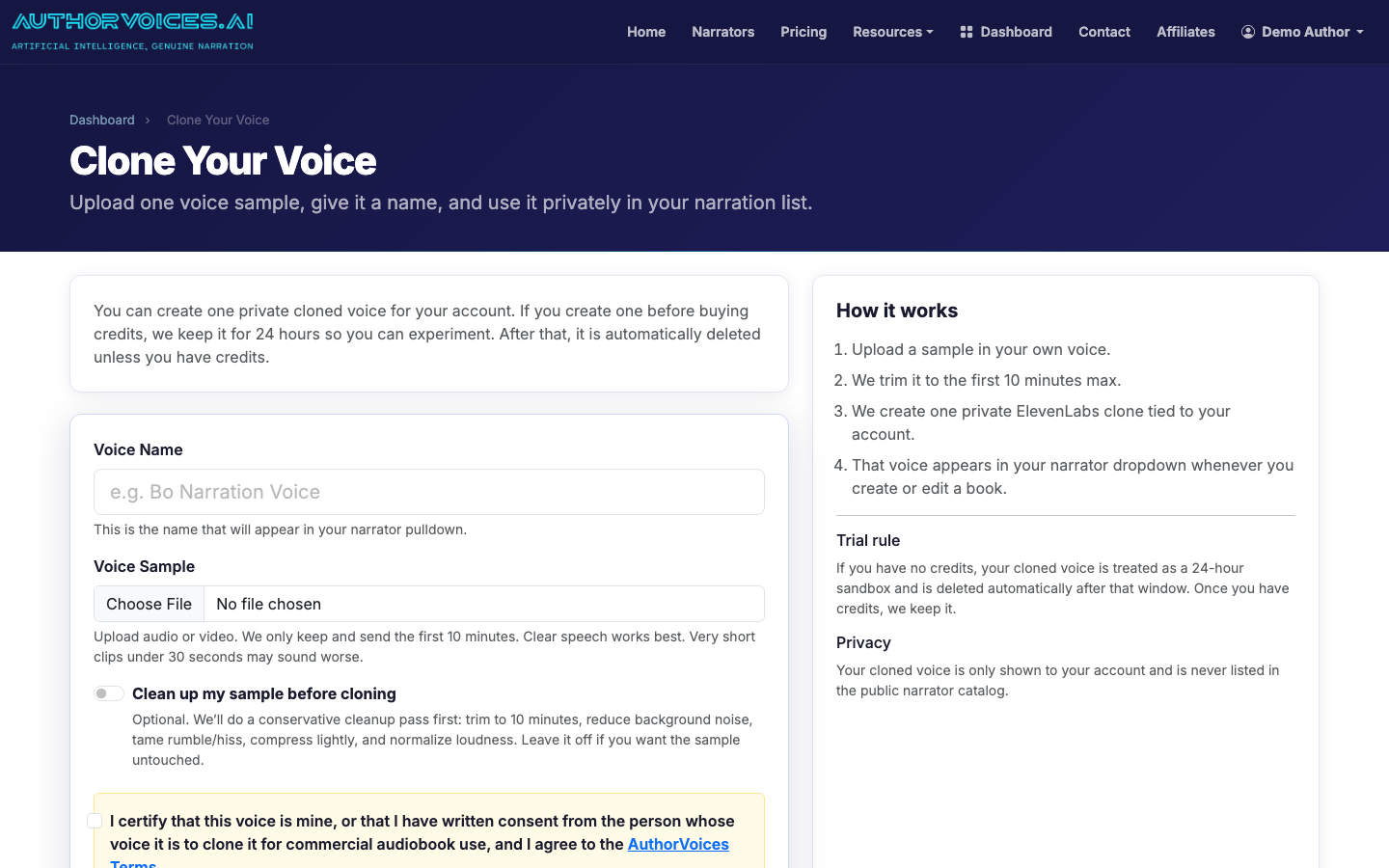
2. Upload your voice sample to create your clone
Go to Voice Clone, drop in your 30-second WAV or MP3, name it (e.g., "Jane — warm narrator"), and submit. Cloning takes under a minute. The resulting voice is private to your account and shows up alongside the 54 curated narrators when you assign a voice to a project.
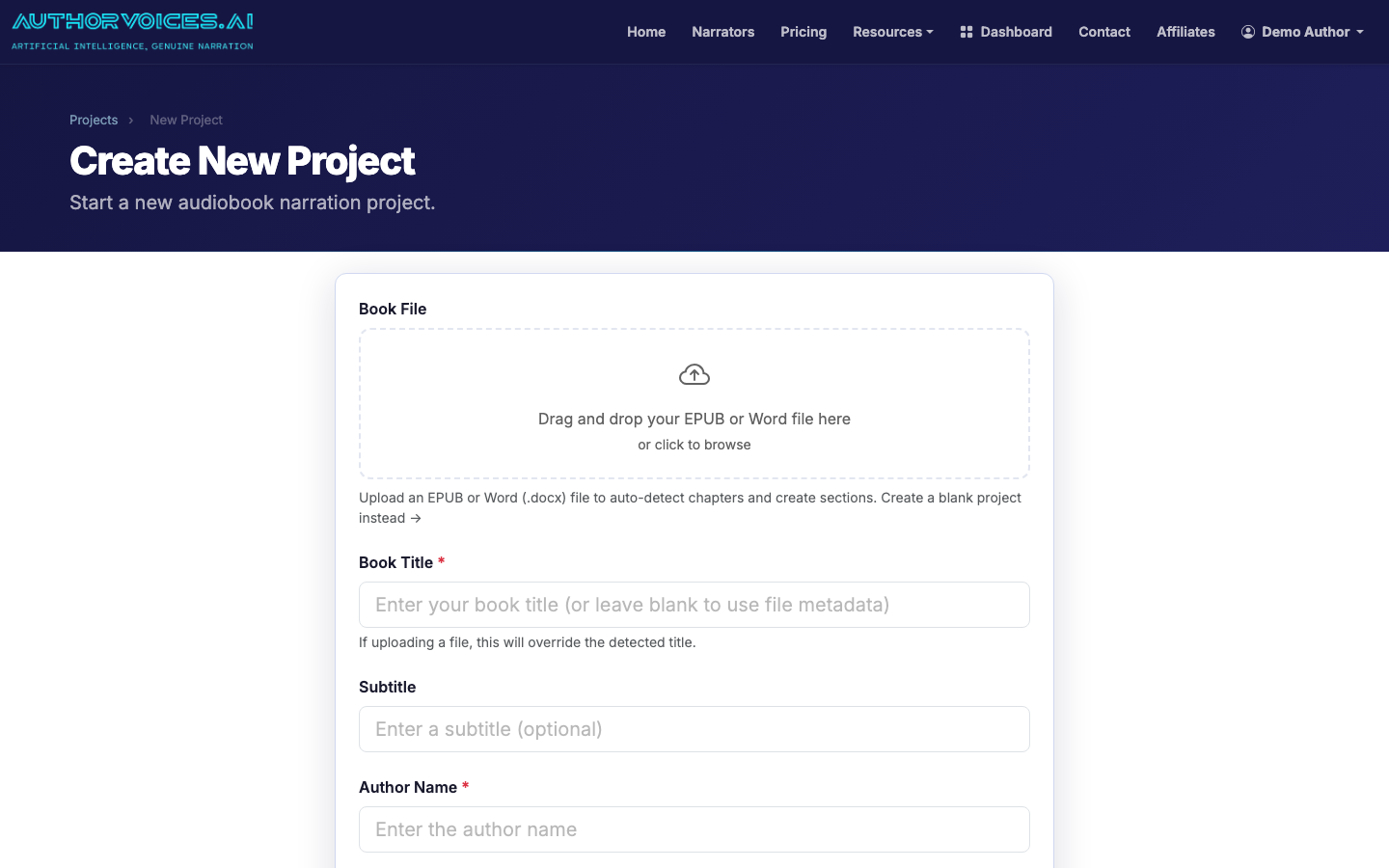
3. Upload your manuscript
Open Projects → New Project and upload an EPUB or DOCX. EPUB is preferred — chapter breaks are already encoded, so auto-parsing is cleaner. DOCX works fine if your headings use Heading 1 / Heading 2 styles consistently.
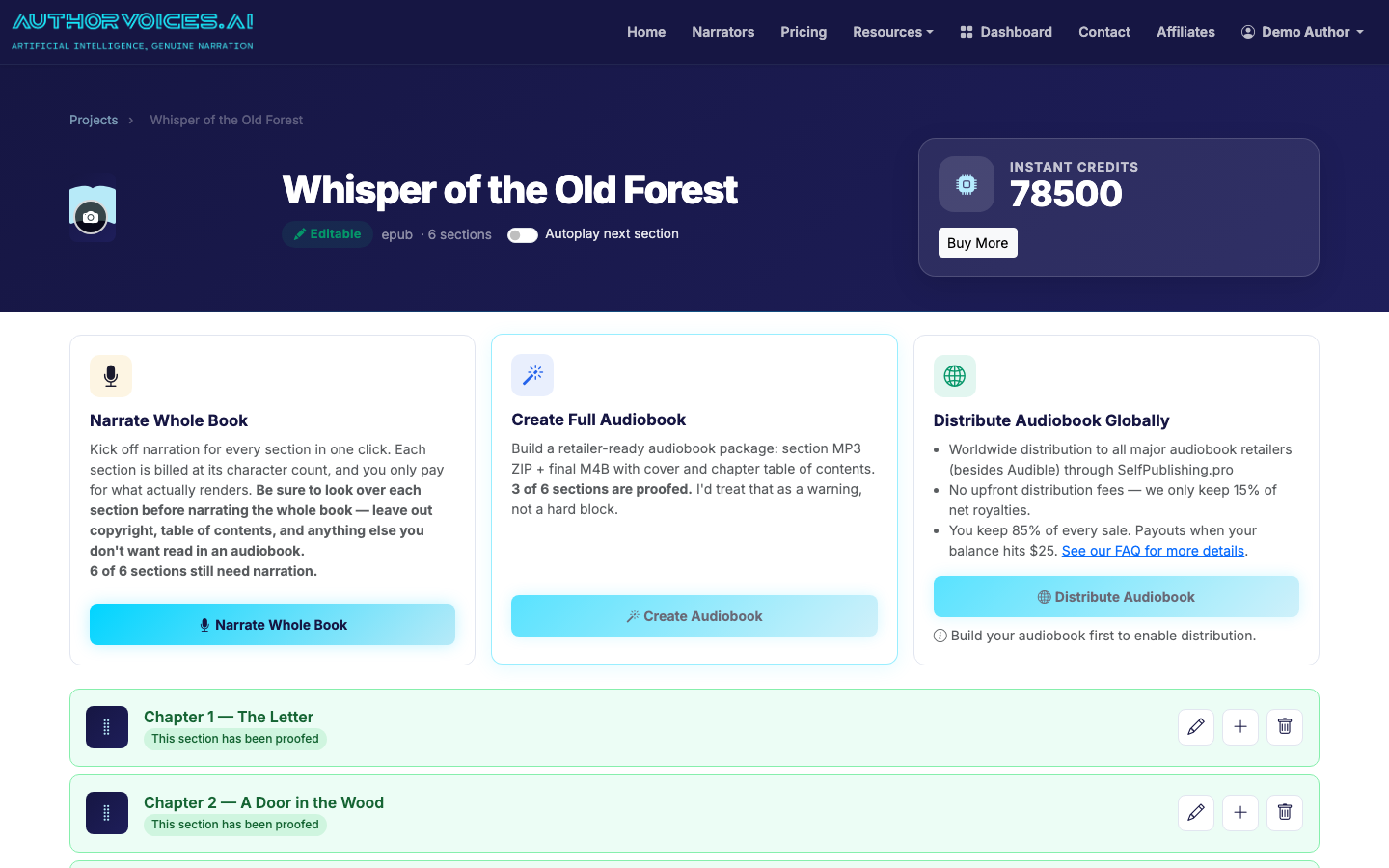
4. Assign your cloned voice and review the chapter split
On the project detail page, set your cloned voice as the project default. Scroll the chapter list and confirm the split looks right — front matter, each chapter, back matter. Merge or split sections if the parser got confused by an unusual structure.
5. Narrate a single chapter first as a test
Resist the urge to batch the whole book on day one. Narrate Chapter 1 only, listen end-to-end, and check three things:
- Does your cloned voice sound like you, or like a slightly weird cousin?
- Are character names pronounced correctly?
- Do dialogue tags read naturally, or is everything monotone?
If the voice feels off, re-record a cleaner sample and clone again before committing credits to the rest of the book.
6. Fix problem passages with Quick Fix
For mispronunciations or awkward pacing, select the offending sentence, hit Quick Fix, and either re-roll the take or tweak the text (spell "Aoife" as "EE-fa" phonetically, for example). Mark sections Proofed as you go so you don't lose your place.
7. Batch the rest of the book
With Chapter 1 dialed in, queue Whole Book narration (Studio plans) or work through chapters individually with Instant Credits. Batch jobs run in the background; come back in a few hours and your book is narrated.
8. Export ACX-mastered MP3 ZIP or M4B
When every chapter is Proofed, export. Two formats:
- MP3 ZIP — one file per chapter, mastered to ACX loudness specs (-23 to -18 LUFS, peak ≤ -3 dB). Even though you're not distributing to ACX, those specs are the industry baseline retailers expect.
- M4B — single file with chapter markers and embedded cover art. The cleanest listener experience.
9. Distribute (everywhere except Audible)
Push the export to SelfPublishing.pro and select retailers: Apple Books, Spotify, Google Play, Kobo, Storytel, library aggregators like Hoopla and OverDrive. For a fuller distribution walkthrough, see How to Turn a Book Into an Audiobook.
Tradeoffs to be honest about
A cloned voice is a remarkable tool, but it isn't a human performer. Subtle emotional beats — a character holding back tears, a sarcastic aside that lands on a single syllable — still favor a trained narrator. For literary fiction with heavy dialogue, expect to spend real time in Quick Fix. For nonfiction, memoir, romance, thriller, and most genre fiction, listeners increasingly can't tell, especially when the voice is genuinely yours.
The other tradeoff is reach. Skipping Audible cuts off roughly half the US audiobook market. Many indie authors find that the time saved (and royalties retained on non-Amazon retailers) outweighs the loss — but go in with eyes open. The full math is in How to Make an Audiobook: Complete Guide for Authors.
For a deeper walkthrough of the recording and cloning workflow itself, see How to Record and Clone Your Own Audiobook Narrator Voice.
